
How To Get Your Trade Price List
If you're a trade customer you have two options available for retrieving your latest trade price list.
These prices are bespoke to you and are checked and updated daily.
Each method results in a slightly different price list format, so you can pick which is preferred and works best for you.
1. B2B - Download Your Trade Prices
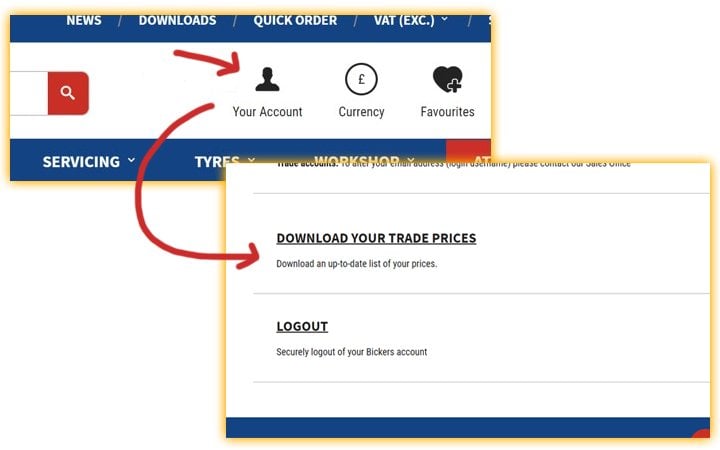
If you have a B2B login, simply login and visit your Account page.
There is a option listed for 'Request Trade Price List' which will email you a link (after up to 30 minutes) to a CSV with your bespoke trade prices.
Please be sure to check your email spam/junk folder in case the email has been misidentified.
Please Note: Special prices, outside of your trade discounts, will be applied to this price list.
This price list contains:
- SKU (Itemcode)
- Description
- Manufacturer (Brand)
- Supplier (Bickers)
- Barcode (EAN/UPC)
- Cost Price (ex) (Trade Price Exc. VAT)
- RRP Price (ex) (RRP Exc. VAT)
- Stock
- StockMessage (Expected Stock Arrival Timescales)
2. Email - Price List Request
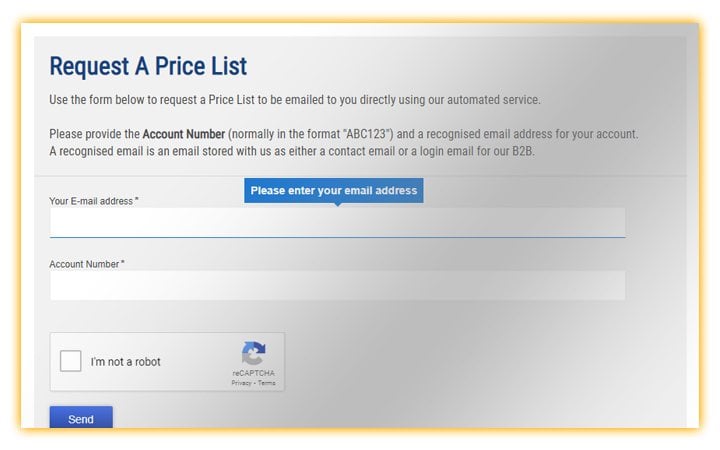
If you do not have a B2B login, you can easily use our price list request service.
Enter your Account Number (normally in the format "ABC123") and a recognised email address for your account.
Your price list will automatically arrive within 10 minutes to the email address you entered, as long as the email is recognised.
Please Note: This price list now contains any special prices (Alpinestars etc.).
This price list contains:
- Item Code (SKU)
- Description
- Stock
- Price (RRP Exc. VAT)
- Nett Price (Trade Price Exc. VAT)
- ItemGroup (Single Categorisation Name)
- MPN (Manufacturers Part Number)
- Barcode (EAN/UPC)
Select an option below to get started
For more bespoke price list options please contact our Sales Office or speak with your Area Sales Manager
Please Note: These services are only available for existing trade customers